
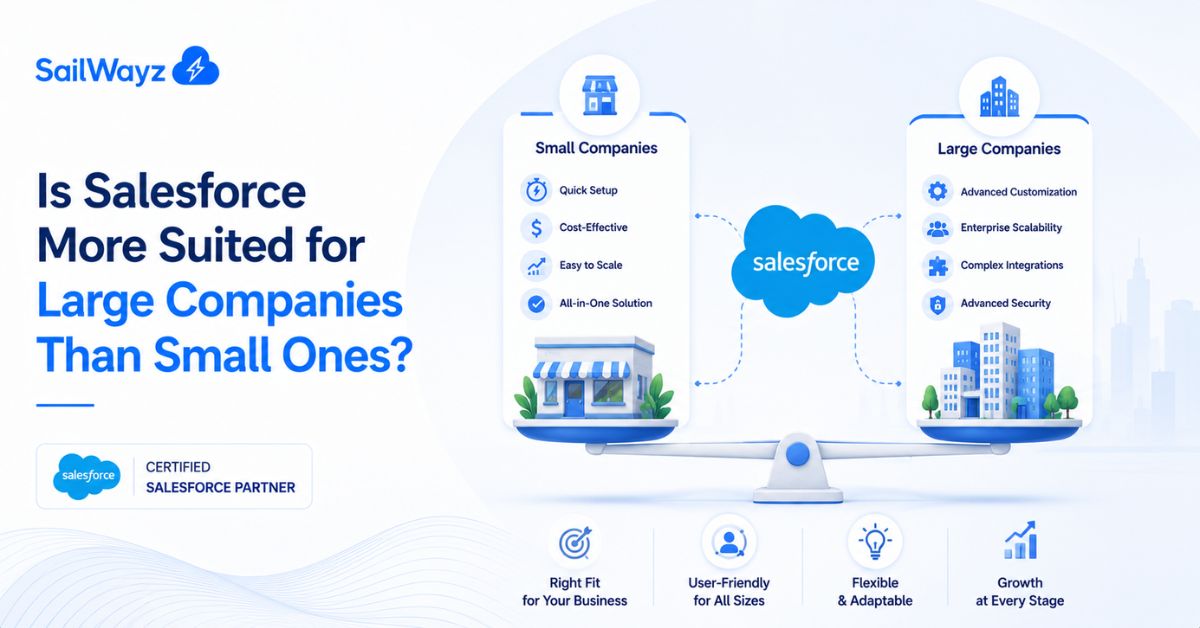
If you have looked into Salesforce, you have probably asked yourself one question: is this built for big corporations, or can a small team actually make it work? It is a fair question. Salesforce started out as a tool for larger sales teams, and that reputation has stuck around even as the platform changed. Let’s break it down properly, using real pricing, real features, and real trade-offs, so you can work out where your business fits.
Salesforce is not one product. It is a group of editions and clouds built for different budgets, team sizes, and levels of complexity. A five-person startup and a five-thousand-person company are not buying the same thing, even though both call it “Salesforce”.
At the lower end sits the Starter Suite, a plan built for small teams that need basic contact and lead management without a big setup process. At the top end sit Unlimited and Agentforce editions, built for organisations running complex sales operations across regions, departments, and product lines.
Here is a quick snapshot of where the money goes:
(Salesforce Small Business Pricing, Salesforce, 2026, https://www.salesforce.com/small-business/pricing/)
So when people ask about Salesforce for large companies vs small ones, the honest answer starts with price and feature depth. Small businesses are not priced out of Salesforce anymore. But the top tiers are built with big teams in mind, not solo founders.
Small businesses often assume Salesforce is out of reach. That was truer years ago, less so now. The Starter and Pro Suites give small teams a working CRM without asking them to hire a full-time administrator.
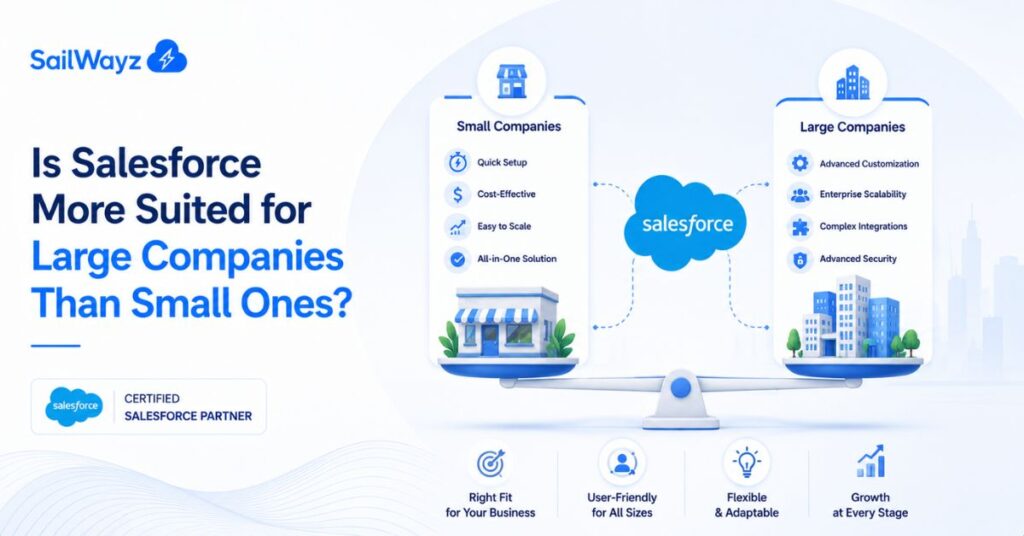
Here is what tends to matter most for a small team:
For a founder or a five-to-twenty-person team, this is often enough to run sales and support properly. The catch is that small businesses rarely need the full feature set inside Enterprise or Unlimited, so paying for those tiers early is usually money spent on features that sit unused.
Small businesses that struggle with Salesforce usually run into the same handful of problems:
None of these are Salesforce’s fault directly. They come down to setup choices, which is why many small businesses bring in outside help to get the first few months right.
Larger companies work differently. They usually have several departments touching the same customer data, sales teams split by region or product line, and compliance rules that a basic CRM cannot handle.
This is where Salesforce’s higher tiers start to earn their price tag:
A large business also has the budget and staff to properly support a bigger Salesforce rollout, with dedicated administrators, ongoing training, and a change management process. That kind of support structure is exactly what makes the more advanced editions worth the cost.
Put side by side, the gap is less about whether Salesforce “works” for a business size and more about fit:
Factor | Small Business | Large Company |
Typical edition | Starter or Pro Suite | Enterprise or Unlimited |
Monthly cost per user | $25 to $100 | $175 to $350+ |
Setup time | Days to a few weeks | Months, sometimes longer |
In-house admin needed | Rarely, part-time at most | Usually a dedicated team |
Customisation depth | Light, out-of-the-box mostly | Deep, custom-built workflows |
Main use case | Central contact and lead tracking | Cross-department data and reporting |
Salesforce is genuinely usable by both. The difference is how much of it you switch on and how much internal support you have to run it properly.
Businesses that skip this planning stage tend to either overspend on features they do not use or underspend and outgrow the platform within a year. Getting outside guidance at this stage, from a partner such as Sailwayz, can save a fair amount of trial and error, since experienced Salesforce consultant have seen where small and large rollouts typically go wrong.
At Sailwayz, we work with businesses across the size spectrum, from small teams setting up their first CRM to larger organisations running multiple Salesforce clouds side by side. The pattern we see again and again is that the platform itself rarely causes problems. Poor planning, messy data, and rushed rollouts do. A properly planned setup, matched to the size and needs of the business, is what makes the difference between a CRM that gets used daily and one that gets abandoned after six months.
So, is Salesforce more suited for large companies than small ones? Not really. It is built to work at both ends, but each size gets there differently. Small businesses do well starting light, with the Starter or Pro Suite, and adding features as they grow. Large companies need the deeper tiers because their data, teams, and compliance needs are more complex from day one. The real question is not company size. It is whether you have picked the right edition and set it up properly for how your team actually works.
Is Salesforce too expensive for a small business?
Not anymore. The Starter Suite costs around $25 per user, per month, which is close to other small business CRM tools. Most small teams do not need the pricier editions built for larger companies, so their real cost stays manageable.
Can a small business outgrow Salesforce and need to switch tools?
Rarely. Salesforce is built to scale up through its editions, from Starter through to Unlimited, so a growing business can move to a higher tier rather than switching to a different CRM entirely.
What size company actually needs Salesforce Enterprise or Unlimited?
Companies with multiple departments sharing customer data, complex sales processes, or strict compliance needs usually benefit from Enterprise or Unlimited. Smaller teams with simpler sales cycles rarely need this level of depth.
Do small businesses need a Salesforce consultant to get started?
It helps but is not always required. Basic setups can be done in-house. More complex needs, data migration, or connecting other business tools often go smoother with a consultant who has done it before.
How long does it take to set up Salesforce for a small team versus a large company?
A small team can often be up and running within a few weeks. Larger companies, with more departments and data to bring across, usually need several months to get everything working properly.

Joshua Eze is the Founder & Salesforce Architect at Sailwayz, a certified Salesforce Consulting Partner based in the UK. With over 6 years of experience leading CRM transformations, he is a certified Application & System Architect passionate about using technology to simplify business processes. Joshua helps companies unlock the full potential of Salesforce with strategic, scalable, and secure solutions.
