

Not every CRM does the same job, and picking one without understanding the different types of CRM solutions on the market is a common reason businesses end up switching systems within a year or two. This guide walks through the main categories, how they actually differ day to day, and how to work out which one fits your business.
The Four Main Types of CRM Software
Most CRM software falls into one of four categories, based on what problem it’s built to solve first. Many modern platforms, including Salesforce, blend all four into one system, but understanding the split still helps when deciding what to prioritise during setup.
1. Operational CRM
An operational CRM focuses on the day-to-day work of sales, marketing, and support teams. It automates the routine tasks that eat up a working day: logging calls, moving a deal through pipeline stages, sending follow-up emails, and assigning tasks when a lead comes in.
This type suits a business whose biggest problem is manual admin work, missed follow-ups, or a sales process that lives in someone’s head rather than a shared system. If your team spends more time updating spreadsheets than talking to customers, an operational CRM is usually the right starting point.
Typical features:
- Lead and contact management
- Pipeline and deal tracking
- Marketing automation (email sequences, campaign tracking)
- Case and ticket management for support teams
2. Analytical CRM
An analytical CRM is built around data rather than daily tasks. It pulls together customer information from sales, marketing, and support, then turns it into reports, trends, and forecasts a business can act on.
This type suits a business that already has decent processes in place but struggles to see the bigger picture: which products sell best to which customer segment, where deals stall in the pipeline, or which marketing campaigns actually lead to sales. It’s less about running the day-to-day and more about spotting patterns across a growing pile of customer data.
Typical features:
- Customer segmentation and behaviour analysis
- Sales forecasting
- Custom reports and dashboards
- Trend and pattern detection across large datasets
3. Collaborative CRM
A collaborative CRM (sometimes called a strategic CRM by some vendors) exists to break down the wall between departments. Sales, marketing, and support often work from separate systems, which means a customer can repeat the same information three times to three different people. A collaborative CRM puts everyone on the same record, so a support agent can see what sales promised, and marketing can see what support is hearing from unhappy customers.
This type suits a growing business where departments have started working in silos and where a customer’s experience suffers because information doesn’t move between teams.
Typical features:
- Shared customer records across departments
- Internal notes and activity history visible to every team
- Document and communication history in one place
- Cross-team task assignment and handovers
4. Strategic CRM
A strategic CRM is less about a specific set of features and more about a business philosophy, one built around long-term customer relationships rather than a single transaction. Most “strategic CRM” tools actually combine data from the other three types to guide decisions about loyalty programmes, retention, and lifetime value.
This type suits a business where repeat custom matters more than one-off sales, such as subscription businesses, membership organisations, or B2B firms with long contract cycles.
Typical features:
- Customer lifetime value tracking
- Loyalty and retention programme management
- Long-term account planning tools
- Renewal and upsell tracking
Other Ways to Categorise CRM Solutions
Beyond the four functional types, CRM solutions also split along a few other lines worth knowing about before you choose.
Cloud vs On-Premise CRM
Most CRM solutions today run in the cloud, meaning a team accesses records through a browser or app rather than a server sitting in the office. Cloud systems tend to cost less upfront, update automatically, and work from anywhere, which suits most small and mid-size businesses. On-premise systems, hosted on a company’s own servers, still turn up in industries with strict data control requirements, but they cost more to maintain and update.
Industry-Specific CRM
Some CRM solutions are built for a particular sector rather than general business use. Real estate CRMs handle applicant matching and property listings; accounting-firm CRMs handle client setup and filing deadlines; healthcare CRMs handle patient records and appointment tracking. A general-purpose CRM like Salesforce consultant can often be configured to cover the same ground, but a dedicated industry tool starts with those features built in.
All-in-One CRM Platforms
Rather than picking a single type, many businesses now choose a platform that blends operational, analytical, and collaborative features into one system. This avoids the trouble of syncing several separate tools, and it’s the direction most established CRM providers, Salesforce included, have moved in over the past decade.
How to Work Out Which Type of CRM Solution You Need
Rather than picking a category first, work backwards from your actual problem:
- Identify your biggest bottleneck. Is it manual admin, lack of visibility into what’s happening in the pipeline, poor communication between departments, or weak repeat business?
- Match the bottleneck to a type. Manual admin points to an operational CRM; poor visibility points to analytical; department silos point to collaborative; weak retention points to strategic.
- Check your team size and growth plans. A small team might only need one type well executed. A larger, growing business usually needs a platform that covers most or all four.
- List your must-have connections. Check whether the CRM needs to sync with your existing email, accounting, or marketing tools before you commit.
- Trial with real data. Ask any shortlisted provider for a demo using a scenario close to your actual sales or service process, not a generic walkthrough.
Signs You’ve Outgrown Your Current CRM Type
A business often starts with one type of CRM and needs to expand as it grows. Watch for these signs:
- Sales and support teams keep asking each other for information that should already be visible
- Reports take hours to build manually because the system doesn’t generate them on its own
- Deals or tickets get missed because there’s no shared view across the team
- Renewal or repeat business gets tracked in a separate spreadsheet, not the CRM itself
- The system that worked for ten people is starting to slow down a team of thirty
Where Sailwayz Fits In
Working out which type of CRM your business needs is only half the job. The other half is setting it up so it actually reflects how your teams work, rather than a generic template. This is where Sailwayz comes in. We’re a Salesforce consulting partner, and Salesforce is one of the few platforms genuinely built to cover operational, analytical, and collaborative needs in one system, so our team configures it around your actual sales, service, and reporting process rather than leaving you to work through every setting alone.
According to our about page, the Sailwayz team holds over 50 combined Salesforce certifications, and we offer a free consultation for businesses trying to work out which type of setup would suit them before committing to a build.
Final Thoughts
The different categories of CRM software aren’t strict boxes a business has to choose between forever. They’re a way of describing what a system is built to solve first, and most businesses end up needing a mix as they grow past their first few years. Starting with a clear view of your actual bottleneck, rather than a feature list, makes the choice far easier.
If you think Salesforce could cover what your business needs across all four types, Sailwayz offers a free consultation to talk through what a proper setup would look like for your team.
FAQs
What are the main types of CRM software?
The four main types are operational (day-to-day task automation), analytical (data and reporting), collaborative (shared records across teams), and strategic (long-term customer relationships and retention). Many modern platforms combine all four in one system.
Which type of CRM is best for a small business?
Most small businesses start with an operational CRM, since it solves the most common early problem: missed follow-ups and manual admin work. As the business grows, analytical and collaborative features usually get added on top.
Can one CRM platform cover all four types?
Yes. Salesforce and several other established platforms combine operational, analytical, and collaborative features into one system, which avoids the cost and hassle of running separate tools for each function.
Is a strategic CRM the same as a collaborative CRM?
Not quite. A collaborative CRM focuses on sharing information across departments, while a strategic CRM focuses on long-term customer relationships and retention. Some vendors use the terms loosely, so check what features a system actually offers rather than relying on the label alone.
How do I know which type of CRM my business needs?
Start by identifying your biggest bottleneck. Manual admin points toward an operational CRM, poor reporting points toward analytical, and communication gaps between teams point toward collaborative. Most growing businesses end up needing a mix of all three.
Recent Posts
-
Types of CRM Solutions: Which Type Does Your Business Need?
-
Pega vs Salesforce: Which CRM Is Better for Your Business?
-
What Are CRM Solutions? A Complete Guide for Businesses
-
The 20 Best CRM Software Options for Accounting Firms in 2026
-
The 20 Best CRM Software Options for Estate Agents in 2026
-
 Is Salesforce Easy to Set Up for a Small Business?
 -
 Where to Find Salesforce Consultants for Small Nonprofits Who Specialise in User Experience
 -
 How to Choose a Salesforce Integration Partner for Complex Manufacturing and Logistics Systems
 -
 What Types of Companies Use Salesforce Communications Cloud?
 -
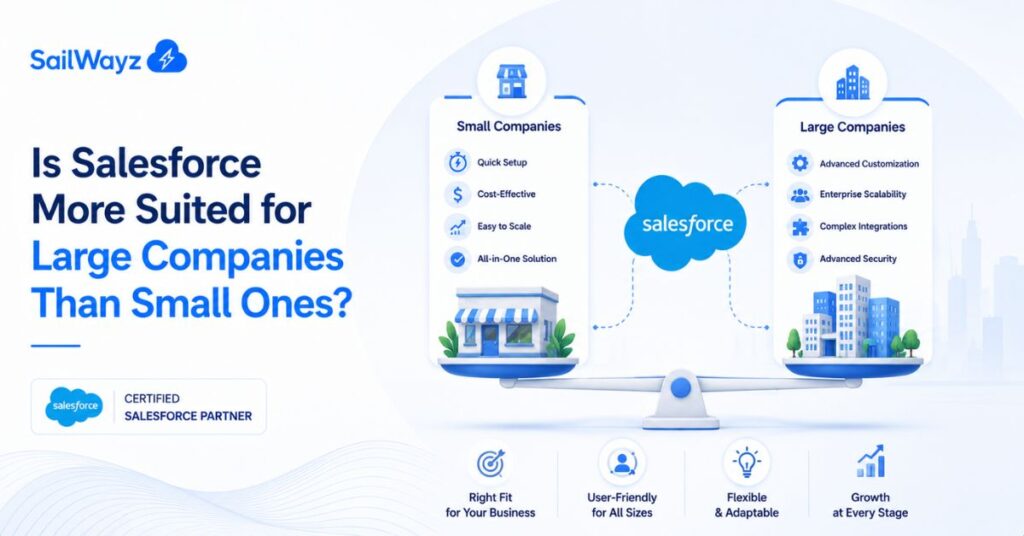 Is Salesforce More Suited for Large Companies Than Small Ones?

Joshua Eze is the Founder & Salesforce Architect at Sailwayz, a certified Salesforce Consulting Partner based in the UK. With over 6 years of experience leading CRM transformations, he is a certified Application & System Architect passionate about using technology to simplify business processes. Joshua helps companies unlock the full potential of Salesforce with strategic, scalable, and secure solutions.
