
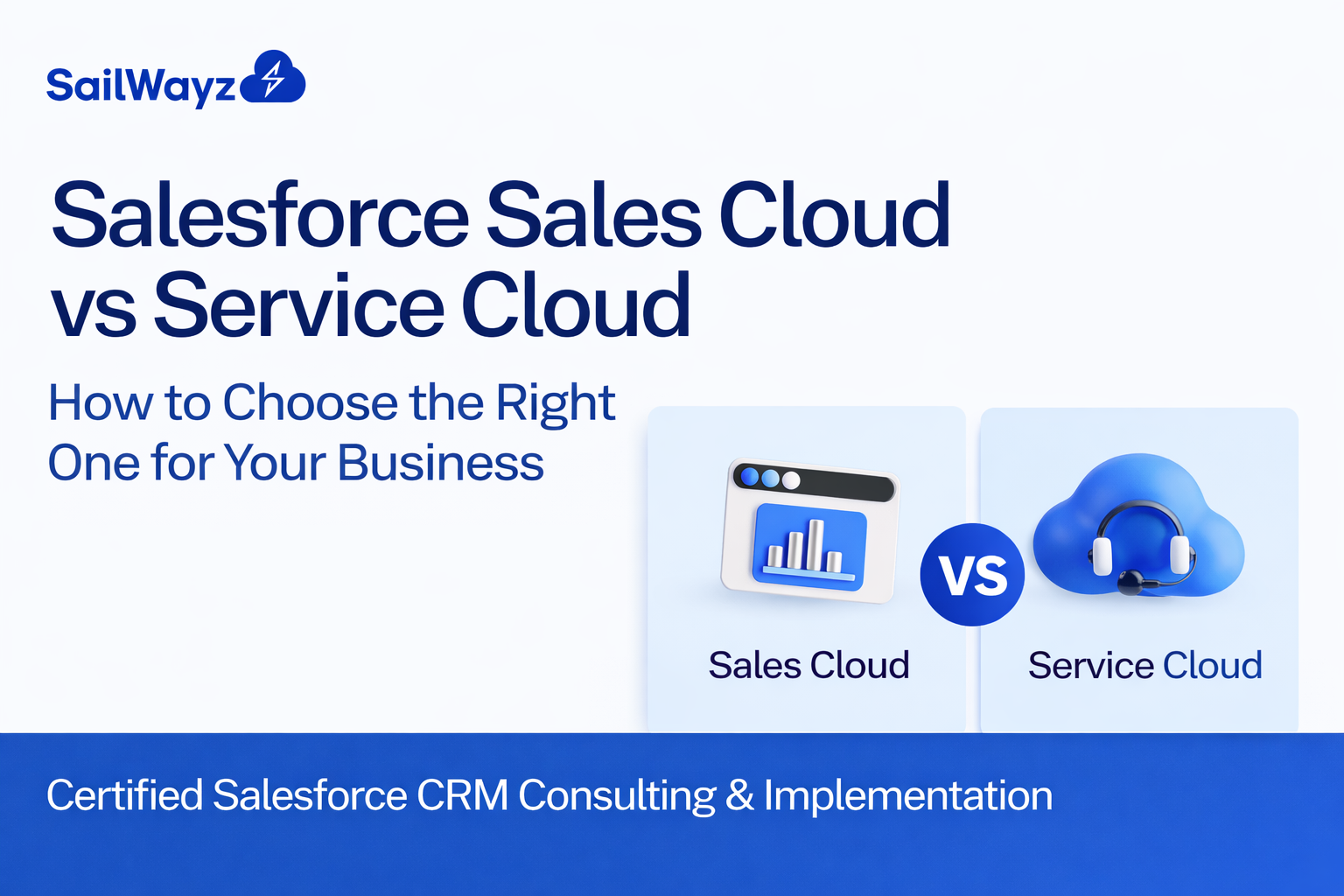
Selecting the right CRM platform can transform how you manage customer relationships, streamline operations, and drive business growth. When it comes to Salesforce, two products dominate the conversation: Salesforce Sales Cloud vs Service Cloud. Both platforms share the same foundation, yet each serves distinct purposes tailored to different business functions.
This guide walks you through the differences between these two powerful solutions, helping you determine which one aligns with your business goals.
Before diving into comparisons, let’s clarify what each platform offers.
Sales Cloud is designed for sales teams. It focuses on the entire sales cycle, from capturing leads to closing deals. Sales professionals use this platform to manage opportunities, forecast revenue, and track customer interactions throughout the buying journey.
Service Cloud, on the other hand, targets customer service and support teams. It provides tools for case management, omnichannel support, and field service operations. The goal is to resolve customer issues quickly and deliver exceptional support across multiple channels.
While both platforms share core Salesforce features like accounts and contacts, they diverge significantly in their specialised capabilities.
Let’s break down what sets these platforms apart.
Sales Cloud equips your team with tools designed to boost sales performance:
Lead Management allows you to capture, score, and track prospects as they move through your sales pipeline. Automated assignment rules ensure leads reach the right sales representatives quickly.
Opportunity Management helps teams track deals from initial contact to closure. You can visualise your entire sales pipeline, identify bottlenecks, and prioritise high-value opportunities.
Sales Forecasting uses AI-powered insights to predict future revenue. Real-time data helps sales managers make informed decisions about resource allocation and strategy adjustments.
Account and Contact Management provides a complete view of customer relationships. Sales representatives can access communication history, previous purchases, and engagement patterns in one centralised location.
Workflow Automation eliminates repetitive tasks. Automated email sequences, task reminders, and record updates free up time for relationship building and selling activities.
Service Cloud focuses on delivering exceptional customer support:
Case Management streamlines how support teams handle customer inquiries. Automated case routing assigns tickets to the right agents based on skills, availability, and priority levels.
Omnichannel Support connects customers with support agents across email, phone, live chat, social media, and messaging apps. Customers can switch channels without losing conversation context.
Knowledge Base creates self-service options for customers. A searchable repository of articles, FAQs, and troubleshooting guides reduces support ticket volume whilst empowering customers to solve problems independently.
Service Console provides agents with a unified workspace. All customer information, case history, and communication threads appear in one interface, improving resolution times and agent productivity.
Field Service Management coordinates on-site support visits. Scheduling tools, mobile workforce management, and real-time tracking ensure technicians arrive prepared and on time.
Both platforms share fundamental Salesforce features:
Accounts and Contacts exist in both clouds. Whether you’re tracking a sales prospect or a support customer, you’ll manage organisational relationships and key contacts the same way.
Basic Case Management appears in Sales Cloud, though Service Cloud offers far more advanced capabilities for tracking, prioritising, and resolving customer issues.
Mobile Access enables teams to work from anywhere. The Salesforce mobile app provides real-time data access, ensuring productivity doesn’t stop when teams leave the office.
Reporting and Dashboards deliver insights into performance metrics. Both platforms offer customisable reports, though the specific metrics differ based on sales or service priorities.
Chatter facilitates real-time collaboration. Teams can share updates, discuss customer situations, and solve problems together, regardless of department.
Sales Cloud suits businesses where revenue generation is the primary focus.
Your organisation needs Sales Cloud if you’re struggling with lead management. When prospects slip through the cracks or sales representatives lack visibility into the pipeline, Sales Cloud’s lead tracking and opportunity management tools provide the structure needed to capture every potential customer.
Companies with complex sales cycles benefit enormously. If your sales process involves multiple touchpoints, lengthy negotiations, or numerous decision-makers, Sales Cloud helps coordinate these interactions. The platform tracks every email, call, and meeting, ensuring nothing gets lost in the shuffle.
B2B organisations with high-value deals find particular value in Sales Cloud. The forecasting tools help predict revenue accurately, whilst the account management features provide deep insights into customer relationships. Sales teams can identify upselling and cross-selling opportunities based on purchase history and engagement patterns.
Growing businesses that need to scale sales operations efficiently should consider Sales Cloud. As your team expands, the platform’s automation capabilities maintain consistency in processes whilst reducing manual work. New sales representatives can quickly get up to speed using standardised workflows and templates.
Service Cloud is the right choice when customer satisfaction and support excellence take priority.
Your business needs Service Cloud if customer inquiries overwhelm your support team. When agents struggle to keep up with ticket volumes or customers experience long wait times, Service Cloud’s case routing and automation features streamline operations. Cases reach the right agents faster, and resolution times decrease.
Organisations offering support across multiple channels require Service Cloud’s omnichannel capabilities. If customers contact you via email, phone, chat, and social media, Service Cloud unifies these interactions. Agents see complete conversation histories regardless of which channel customers use.
Companies with field service operations benefit from the scheduling and mobile workforce management tools. If your business sends technicians to customer locations, Service Cloud optimises routes, tracks service appointments, and ensures technicians have the information needed to resolve issues on the first visit.
Businesses aiming to reduce support costs through self-service find value in the knowledge base features. When customers can find answers independently, support ticket volumes decrease whilst customer satisfaction often increases. The knowledge base also helps agents resolve cases faster by providing quick access to proven solutions.
Both platforms use a per-user, per-month pricing model, typically billed annually. As of 2025, pricing tiers include:
The Starter Suite, available at £25 per user per month, provides basic CRM functionality across both sales and service functions for small teams just getting started with Salesforce.
Pricing increased by an average of 6% in August 2025 for Enterprise and Unlimited editions. Implementation costs vary based on complexity, typically starting around £25,000 for professional deployment services.
Here is why pricing matters: you pay per user, not per feature. If your sales team needs Sales Cloud and your support team needs Service Cloud, you can deploy both. Since Salesforce now bundles these clouds under a single licence, users can access both platforms, though specific features require activation via the Service Cloud User checkbox.
Choosing between Salesforce Sales Cloud and Service Cloud comes down to business priorities.
Start by evaluating your primary business challenge. If revenue growth and sales pipeline management rank highest, Sales Cloud provides the tools you need. If customer satisfaction and support efficiency matter most, Service Cloud delivers the capabilities required.
Consider your team structure. Sales teams benefit from Sales Cloud’s opportunity tracking and forecasting. Support teams need Service Cloud’s case management and omnichannel features. Many organisations discover they need both platforms to provide seamless customer experiences from initial contact through ongoing support.
Analyse your customer journey. If most of your business value comes from acquiring new customers and closing deals, invest in Sales Cloud first. If you rely on customer retention, renewals, and long-term relationships, Service Cloud’s support capabilities become essential.
Think about integration requirements. Both platforms connect with other Salesforce products and third-party applications. If you already use Marketing Cloud or Commerce Cloud, consider how Sales Cloud or Service Cloud will fit into your existing ecosystem.
Budget plays a role, but focus on value rather than just cost. A smaller investment in the right platform delivers better results than a larger investment in the wrong one. Calculate the return on investment based on improved productivity, increased revenue, or reduced support costs.
Selecting and implementing the right Salesforce solution requires expertise. Sailwayz specialises in personalised consultations, tailored CRM strategies, and continuous support to unlock Salesforce’s full potential.
The team at Sailwayz works with you to understand your unique business needs. Rather than pushing a one-size-fits-all approach, they assess your sales processes, support requirements, and growth objectives. This consultative approach ensures you invest in the platform that delivers maximum value.
Implementation goes beyond basic setup. Sailwayz configures Sales Cloud or Service Cloud to match your specific workflows, migrates your existing data cleanly, and trains your team to use the platform effectively. Their certified consultants bring deep Salesforce expertise, helping you avoid common pitfalls and accelerate time to value.
Ongoing support ensures your Salesforce investment continues delivering results. As your business grows and evolves, Sailwayz helps you adapt your CRM strategy. Whether you need to add new features, optimise existing processes, or troubleshoot issues, their team provides expert guidance and technical support.
Many businesses start with one cloud and later expand to the other. Sailwayz can help you plan this evolution, ensuring smooth integration when you’re ready to deploy both Sales Cloud and Service Cloud together.
Absolutely. Many organisations deploy both Salesforce Sales Cloud and Service Cloud to support the complete customer lifecycle.
Sales teams use Sales Cloud to manage leads and close deals. Once a customer signs on, Service Cloud takes over, handling support inquiries and maintaining the relationship. This handoff ensures customers receive appropriate attention at every stage.
Data flows seamlessly between the platforms. When a support agent resolves a case, that information appears in the customer’s account record. Sales representatives see support history when discussing renewals or upselling opportunities. This unified view of customer interactions improves decision-making across departments.
Integration between the clouds creates a true 360-degree customer view. Sales knows about support issues that might affect renewal decisions. Support understands the products and services each customer has purchased. Marketing can factor in both sales and service data when planning campaigns.
The combined approach maximises customer lifetime value. Happy customers who receive excellent support are more likely to renew, upgrade, and recommend your business to others. Sales teams armed with support insights can have more meaningful conversations about customer needs.
Different industries benefit from different approaches to Salesforce Sales Cloud vs Service Cloud.
Retail businesses often need both platforms. Sales Cloud helps manage wholesale relationships with retailers or track high-value B2B sales. Service Cloud handles customer support for returns, product questions, and complaints across multiple channels.
Financial services rely heavily on relationship management. Sales Cloud tracks client acquisition and investment opportunities. Service Cloud manages client inquiries, account servicing, and compliance-related communications.
Healthcare providers use Service Cloud extensively for patient support and case management. The platform helps coordinate care teams, track patient inquiries, and manage appointment scheduling.
Technology companies typically start with Sales Cloud to drive new business acquisition. As their customer base grows, Service Cloud becomes essential for technical support, bug tracking, and customer success management.
Manufacturing firms benefit from Sales Cloud for managing dealer networks and B2B sales. Service Cloud supports warranty claims, field service operations, and customer support for complex products.
Take action by assessing your current situation. Document your biggest challenges in sales or customer service. Identify where manual processes slow down your team or where customer interactions fall short of expectations.
Research how each platform addresses your specific pain points. Review case studies from companies in your industry. Talk to peers about their experiences with Sales Cloud or Service Cloud.
Request demos from Salesforce partners like Sailwayz. Seeing the platforms in action with your own data and use cases provides clarity that generic demonstrations cannot match.
Build a business case for investment. Calculate the costs of your current processes, including wasted time, lost opportunities, and customer churn. Compare these costs to the investment in Sales Cloud or Service Cloud, factoring in expected improvements.
Plan for implementation. Success depends on more than software selection. You need data migration strategies, user training plans, and change management approaches. Working with experienced consultants like the team at Sailwayz streamlines this process.
Remember that CRM success is a journey, not a destination. Whether you choose Sales Cloud, Service Cloud, or both, continuous optimisation ensures you extract maximum value from your investment.
What is the main difference between Salesforce Sales Cloud and Service Cloud?
Sales Cloud focuses on managing sales processes, from lead generation to closing deals, whilst Service Cloud concentrates on customer service and support operations. Sales Cloud helps teams track opportunities and forecast revenue, whereas Service Cloud provides case management and omnichannel support capabilities for resolving customer issues efficiently.
Can I use both Sales Cloud and Service Cloud together?
Yes, many organisations use both platforms to manage the complete customer lifecycle. Sales Cloud handles pre-sale activities and revenue generation, whilst Service Cloud manages post-sale support and customer retention. The platforms integrate seamlessly, sharing customer data and providing a unified view of all interactions across your organisation.
Which platform is more cost-effective for small businesses?
Both platforms offer identical pricing tiers starting with the Starter Suite at £25 per user per month. The choice depends on your primary business need rather than cost. If you need to grow sales, invest in Sales Cloud. If customer support is your priority, choose Service Cloud. Small businesses typically start with one platform and expand later.
How long does it take to implement Sales Cloud or Service Cloud?
Implementation timelines vary based on business complexity, data migration requirements, and customisation needs. Basic implementations can take 4-8 weeks, whilst complex deployments with extensive customisation may require 3-6 months. Working with experienced Salesforce consultants like Sailwayz accelerates the process and ensures proper configuration from the start.
Do I need technical expertise to use these platforms?
Both Sales Cloud and Service Cloud are designed for business users, not just technical teams. The interfaces are intuitive, and basic functionality requires minimal technical knowledge. That said, maximising platform capabilities often benefits from expert guidance. Training programmes and consulting services help teams use advanced features effectively without requiring programming skills.

Joshua Eze is the Founder & Salesforce Architect at Sailwayz, a certified Salesforce Consulting Partner based in the UK. With over 6 years of experience leading CRM transformations, he is a certified Application & System Architect passionate about using technology to simplify business processes. Joshua helps companies unlock the full potential of Salesforce with strategic, scalable, and secure solutions.
